What to Do When Your Website Company Disappears (A Guide to Rescuing an Abandoned Site)
Key Points
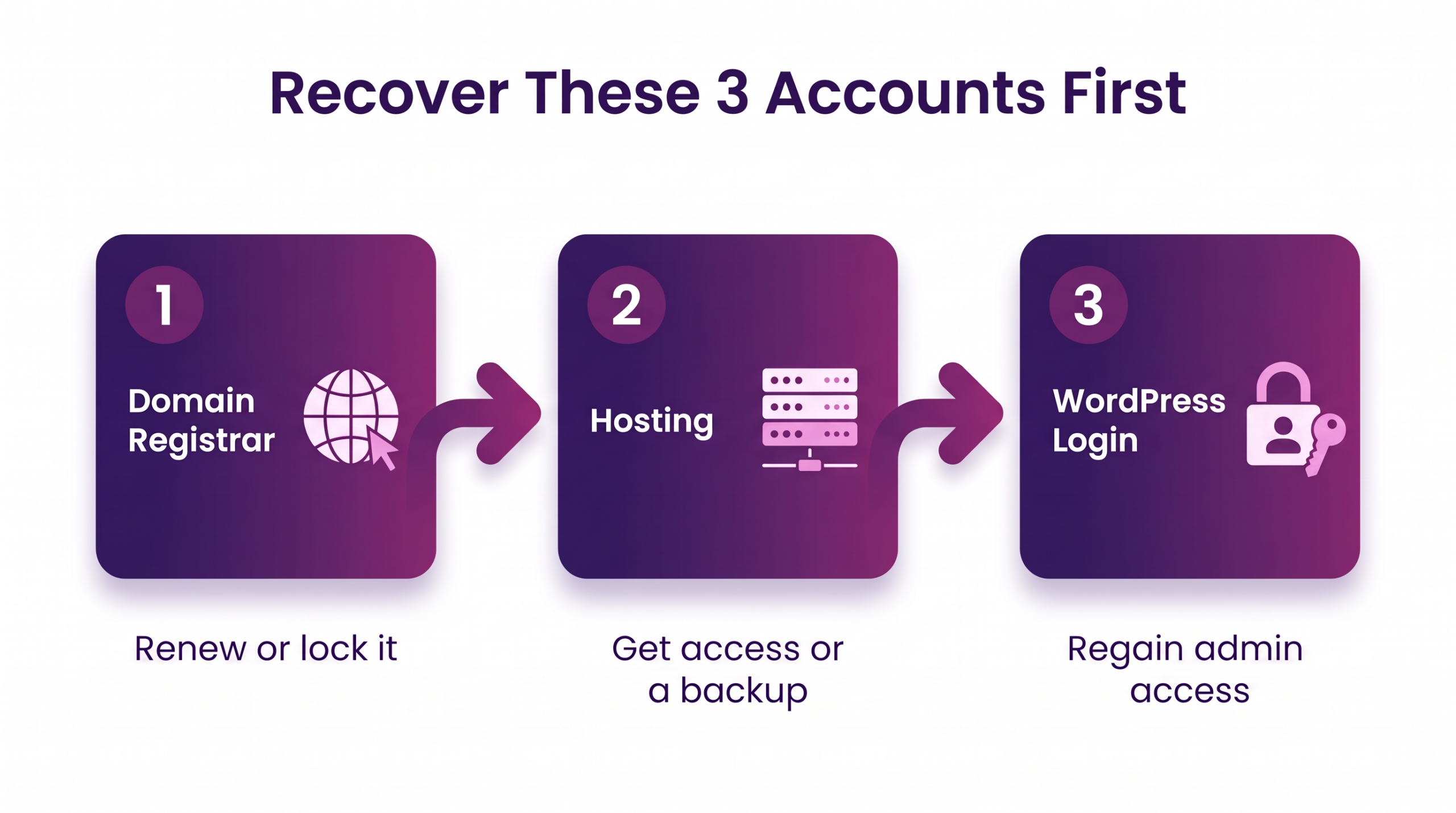
- If your website company disappears, you can usually get your site back by recovering three accounts in order: your domain, your hosting, and your WordPress login.
- What you can recover depends on whose name is on each account and what your contract says, so gather proof of payment first.
- Take a full backup and change every password before you hand the site to anyone new.
- Choose the smallest fix: take over the site as it is, move it to a new host, or rebuild only if it cannot be recovered.
Introduction
When your website company disappears, you are not out of options. “My website company built the site and disappeared. Who can manage it for me now?” The short answer is that someone can, once you find out who holds your domain, your hosting, and your WordPress login, because everything else depends on those three.
The site may still be running, but no one you can reach has the logins, and the domain renewal date is a mystery. Many guides on this are written by firms selling a rescue service. Outrank Strategy wrote this one for local business owners, with the order of steps and a plain line between a technical fix and a legal question. This is general information, not legal advice.
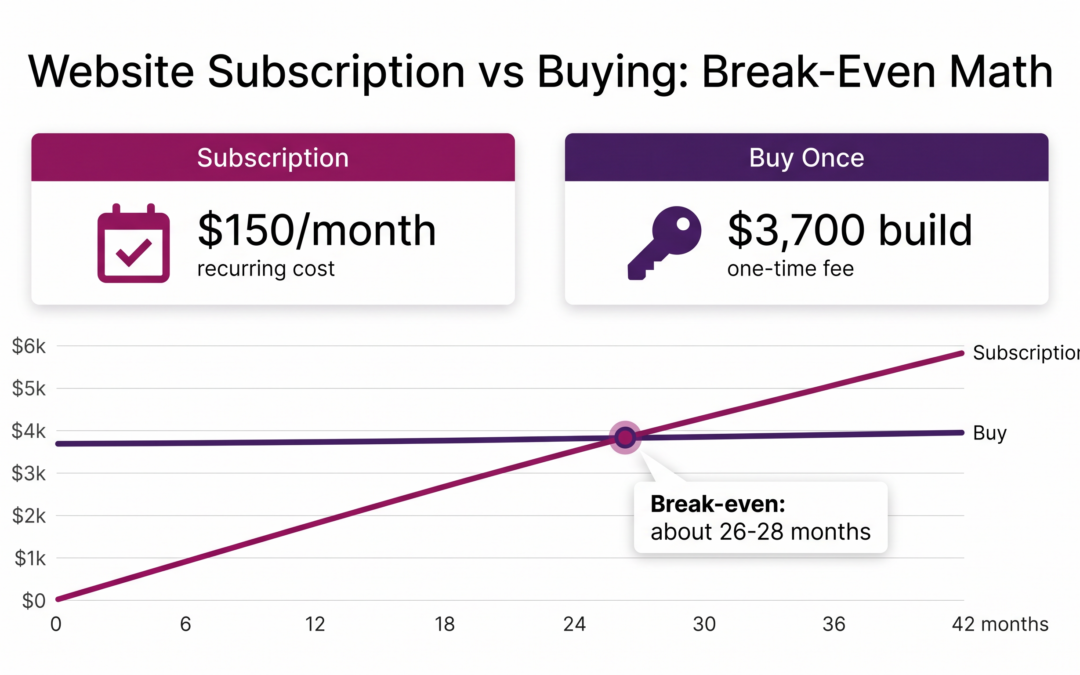
You will learn how to confirm the company is gone, what to recover and from whom, a step-by-step takeover, who can manage the site now, and when to rebuild. To avoid a repeat, read website subscription vs. buying a website.
What to Do When Your Website Company Disappears: Where Do You Start?
Send one dated written message to confirm the company is gone. Then find the three accounts that run your site (domain registrar, hosting, WordPress admin) and gather proof you paid for them: invoices, emails, your contract, and card or bank statements.

Tell “slow” from “gone.” A company that answers a dated reminder within a week or two is slow. A dead phone number, bounced email, and a hosting bill you never received mean gone.
Ownership of the accounts and the content depends on your contract and on whose name is on each account. If the company refuses to cooperate, a lawyer should answer that question, not a how-to guide.
What Do You Need to Get Back, and Who Holds It?
Three things run your site, and each one lives in a different place.
Your Domain Name
The registrant is the person or business named on the domain, and that decides who can renew or move it. ICANN offers a free lookup tool for publicly available registration data. You want the registrar’s name and the expiration date. If the tool does not show them, check your own email for renewal notices.
Domains expire, and the rules help you. ICANN’s Expired Registration Recovery Policy (updated February 21, 2024) says registrars must send at least two expiration notices, about a month and about a week before, plus one within five days after. The name holder must be allowed to renew through the period when the site is switched off. For common endings such as .com, registries must also offer a 30-day Redemption Grace Period after deletion. ICANN’s registrant guide adds that your registrar may charge a fee for that restore.
To move a domain, you need an authorization code, and a transfer can be denied in the first 60 days after registration, per ICANN’s transfer FAQ.
Your Hosting and Files
Find the host in your billing emails or by checking the name servers on your domain. Then contact the host with proof of payment and ask for access or a full backup. A host may refuse if the account is in the company’s name, which is where a written agreement matters.
Your WordPress Login
Start with the “Lost your password?” link on the login page. It needs only the account email. WordPress’s reset guide (last updated March 27, 2026) also lists database, FTP, and server methods, and warns to use phpMyAdmin “at your own risk.” Leave those to a new manager, after a backup.
How Do You Take Over an Abandoned Website, Step by Step?
Collect proof, secure the domain, get into hosting, regain the WordPress admin account, back up everything, then change every password. Follow these steps:
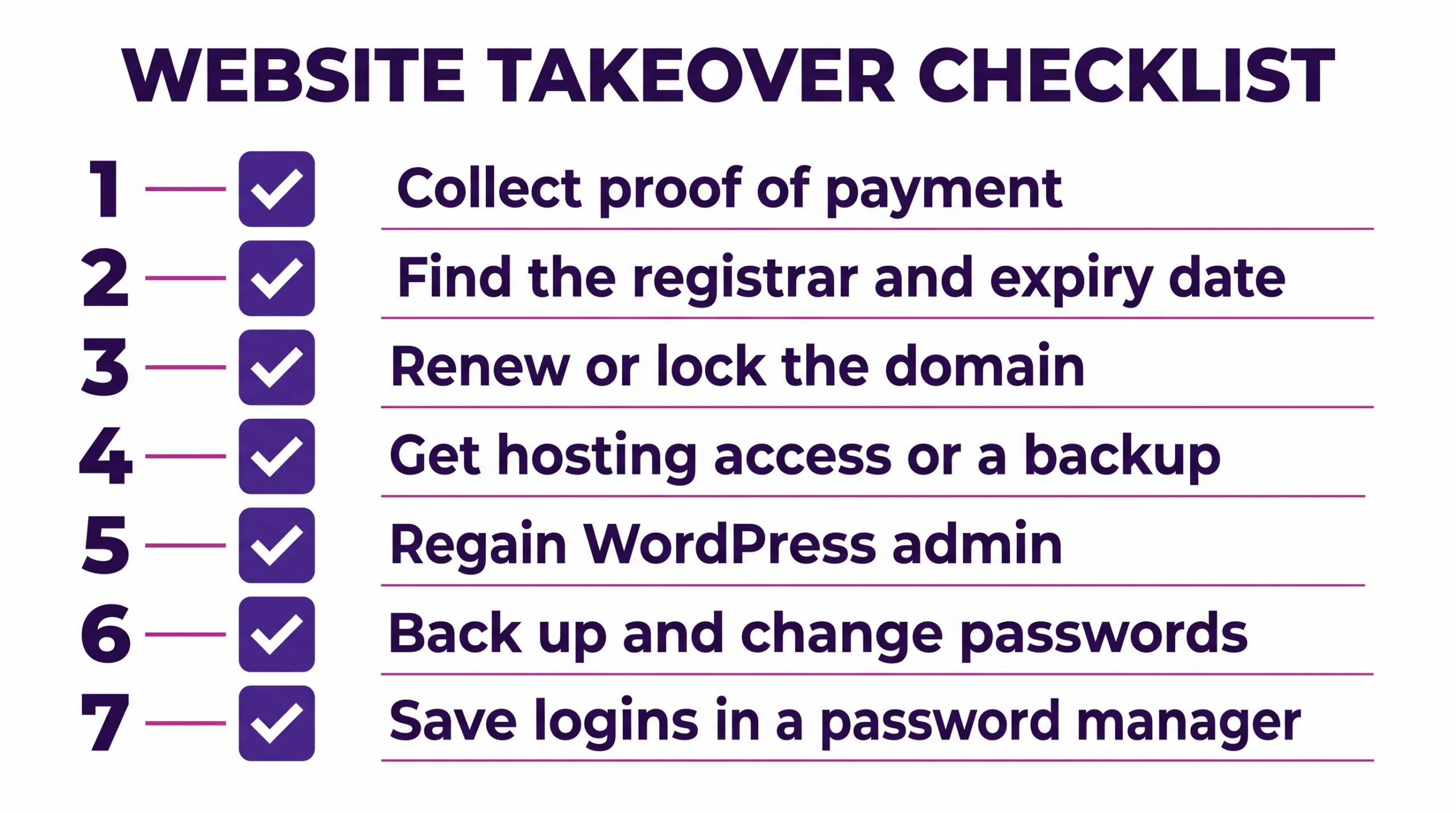
- Collect proof you paid: invoices, emails, the contract, and statements.
- Identify the domain registrar and expiration date, and put your own business email on the account.
- Renew or lock the domain first, since an expired domain takes the site and your email down with it.
- Find the host and get access, or request a full backup of the files and database.
- Regain a WordPress admin login, create your own admin account, and remove ones you do not recognize.
- Take a full backup, change every password, and turn on updates.
- Record every account (registrar, host, WordPress, email, plugin licenses) in a password manager you control.
Most owners can do steps 1, 2, 3, and 7 alone. Steps 4, 5, and 6 usually need a new manager.
Who Can Manage My Website Now?
You have four routes, and the right one depends on how much of the site you still control:
- The original company, if it turns out to be reachable and cooperative.
- A freelancer, good for a one-time cleanup, but a single point of failure again.
- An agency, which can take over and rebuild if needed.
- A managed provider that handles hosting, updates, and fixes under one plan.
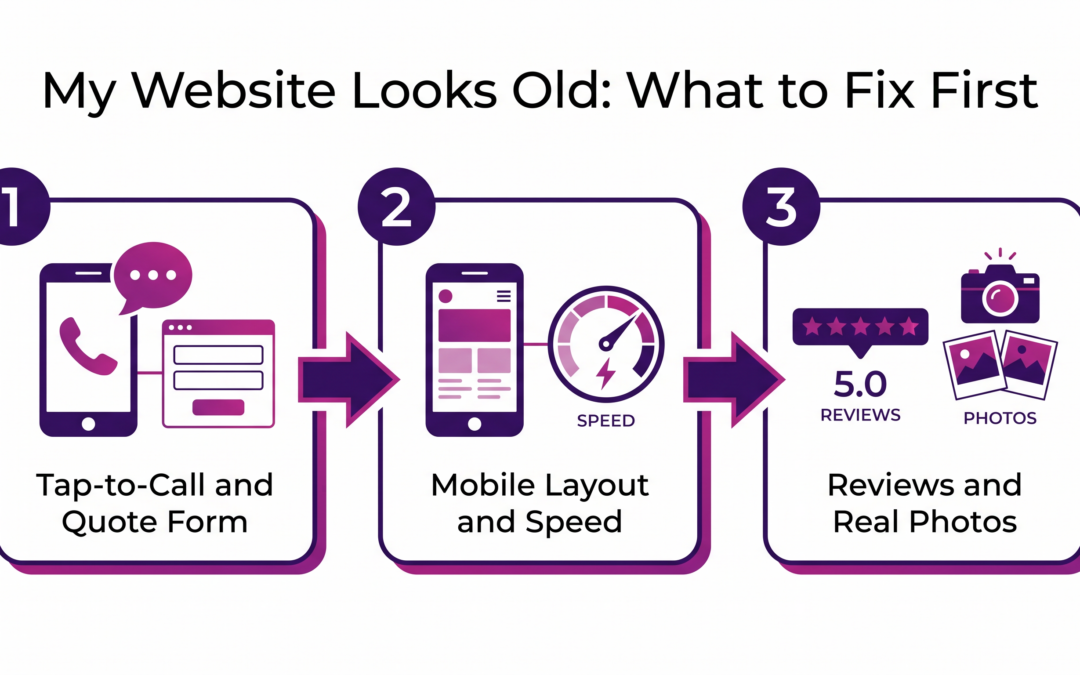
For a site that still works, a manager who handles hosting and updates may be all you need. A rebuild is the last step, not the first. Outrank Strategy works on WordPress sites for local service businesses and can talk through takeover options with you. To decide between a refresh and a rebuild, see our my website looks old guide.
What to Check Before You Hand Your Site to a New Manager
- Get every login in writing. Then the new manager is not the next person holding the only copy.
- Keep domain and hosting billed to your business. You can then leave without asking permission.
- Ask for a full backup now, and again each year. You always hold a copy.
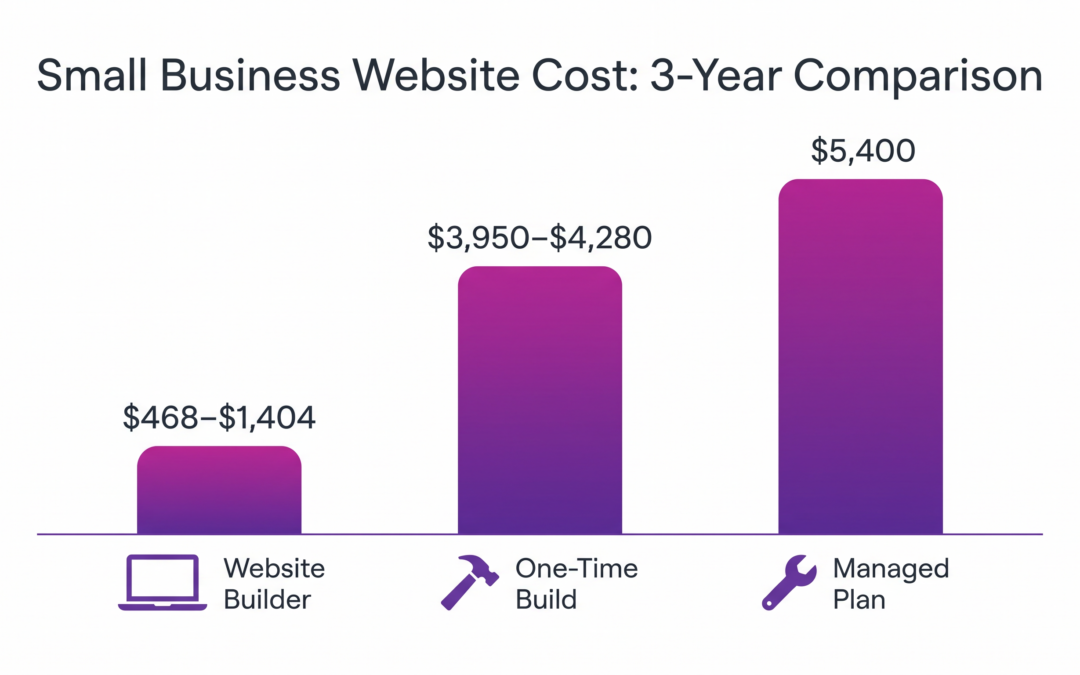
- Get scope and price in writing. See how much a small business website should cost for what to compare.
- Check exit terms before you sign. That is how most owners end up here.
Take Over, Move, or Rebuild: Which Fits Your Site?
| Option | What it means | Fits when | Watch for |
|---|---|---|---|
| Take over as is | Regain logins, keep the site and host | The site works and can be edited | Old plugins and unknown admin users |
| Move to a new host | Copy files and database to a host you control | The old host will not give you access | Old domain links left in the database |
| Rebuild | Start a new site, keep content you own | The site cannot be recovered or edited | Losing pages that already bring calls |
Take over the site as it is if it works, and rebuild only if it cannot be recovered or edited.
Is Your Website Company Really Gone, or Just Slow to Answer?
This guide fits you if your site works, but no one can change it, your domain has an unknown owner, or the site is down. It does not fit a company that answers after a reminder, or a login that only needs a password reset.
Two illustrative examples follow. They are not documented client results.
A pest control company with 6 employees saw its site go down when the domain expired. The domain sat under the designer’s email, so the owner used the registrar’s renewal route to restore it.
An electrical contractor with 10 employees had a working site, but no one had the login. The “Lost your password?” link, sent to the original admin email, was enough.
Practical Tips for When Your Website Company Disappears
If your website company disappears, or has already, these four habits protect you:
- Put your own email on every account. That means the registrar, the host, and WordPress, not the company’s.
- Renew the domain for more than a year. Set a reminder 60 days before it expires.
- Keep a personal copy of the site. Save the files and database, and refresh them yearly.
- Add a second WordPress admin in your name. One lost login then never locks you out.
Conclusion: Website Company Disappears, So What Now?
When your website company disappears, the site is fixable if you recover the domain, the hosting, and the login in that order. Then back up and change every password before you choose a new manager.
Want a second set of eyes on your accounts? Book a free strategy session, and Outrank Strategy will look at your options with you. This wraps up our Websites series: cost, subscription vs buying, and an old-looking site.
Frequently Asked Questions
What Should I Do If My Website Company Disappears?
Can I Get My Domain Back if My Web Designer Registered It in Their Name?
Who Can Manage My Website Now That My Developer Is Gone?
How Do I Find Out Where My Website Is Hosted?
How Much Does It Cost to Take Over an Abandoned Website?
Should I Recover My Old Site or Build a New One?
Recover it if it works and can be edited. Rebuild if it cannot be recovered, edited, or viewed well on a phone. Our guide on a website that looks old covers that decision.