My Website Looks Old, and I Think It Is Costing Me Customers: What Should I Fix First?
Key Points
- A website that looks old can cost you customers, but confirm that with your own numbers before you spend money.
- Fix the things that stop calls and forms first: a tap-to-call number, mobile layout, speed, and visible proof.
- Count leads that convert per 100 visits, so you know whether a change helped.
- Choose between targeted fixes, a refresh, and a rebuild based on what is actually broken, not on how old the design looks.
Introduction
“My website looks old, and I think it is costing me customers.” If that sounds like you, the short answer is that it might be, and you can check in about an hour with three numbers. Fix whatever blocks calls first, and redesign only if those checks point there.
Owners hear “your site is outdated” from every direction, and many of those pages come from companies that sell redesigns. This guide from Outrank Strategy skips the scary statistics. It gives a short order of operations tied to leads that convert, meaning calls and form requests.
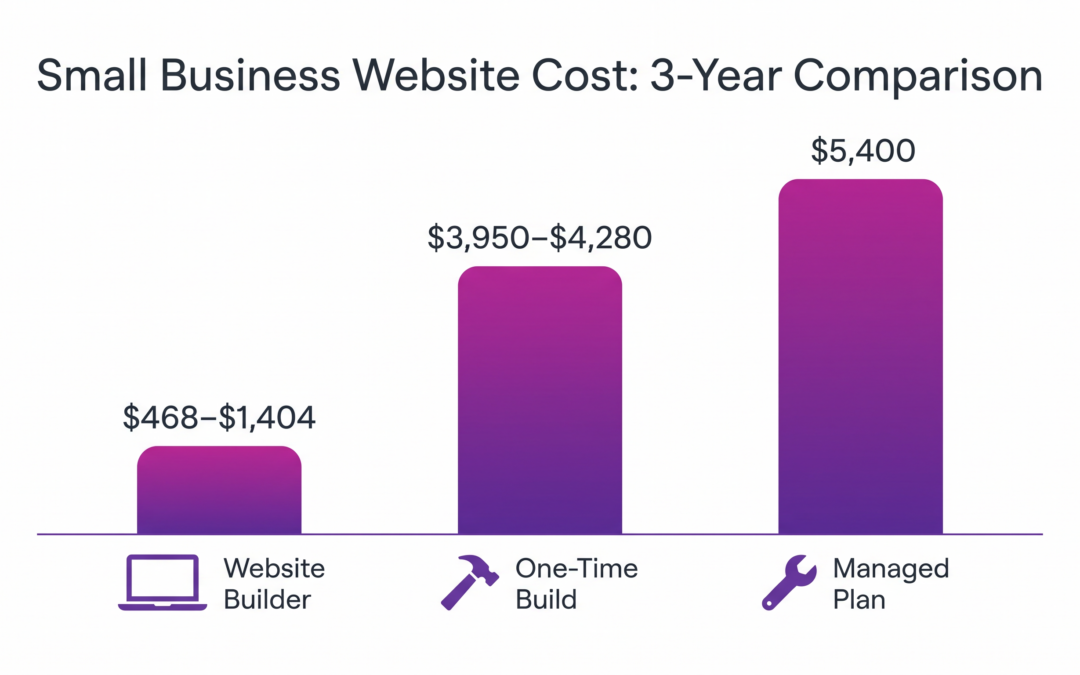
You will learn how to tell whether an outdated business website is hurting you, what to fix first, and how to answer “should I redesign my business website” for your own case. For what a new site costs, see our guide on how much a small business website should cost.
My Website Looks Old: How Do You Know It Is Costing You Customers?
An old-looking site costs you customers when visitors leave before they call or send a form. You can tell by comparing leads (calls plus form requests) to visits over the last 30 to 90 days. A low share points to a problem. A healthy share means a redesign may not help.
Looks do matter, and fast. Nielsen Norman Group reports that, according to research by Gitte Lindgaard and colleagues (2006), people make an aesthetic decision as early as 50 milliseconds into a visit, and it rarely changes even with more time. The article, First Impressions Matter, was published October 1, 2017.
Credibility matters too. A 2016 Nielsen Norman Group article, Trustworthiness in Web Design (May 8, 2016), lists four factors: design quality, upfront disclosure, comprehensive and current content, and connection to the rest of the web. It adds that typos, broken links, and other mistakes quickly degrade credibility. Both are older studies of how people judge sites, not 2026 trends.
Now get your three numbers:
- Visits to your site in the last 30 days (from your analytics tool or hosting dashboard).
- Leads in the same 30 days: phone calls plus form requests.
- Leads per 100 visits: leads divided by visits, times 100.
Here is a hypothetical example, not a benchmark. A site gets 500 visits and 10 leads, which is 2 leads per 100 visits. If changes lift that to 15 leads on the same 500 visits, it is 3 per 100, or 5 more leads. Compare against your own past results, not an industry average.
What Should You Fix First on an Old Website?
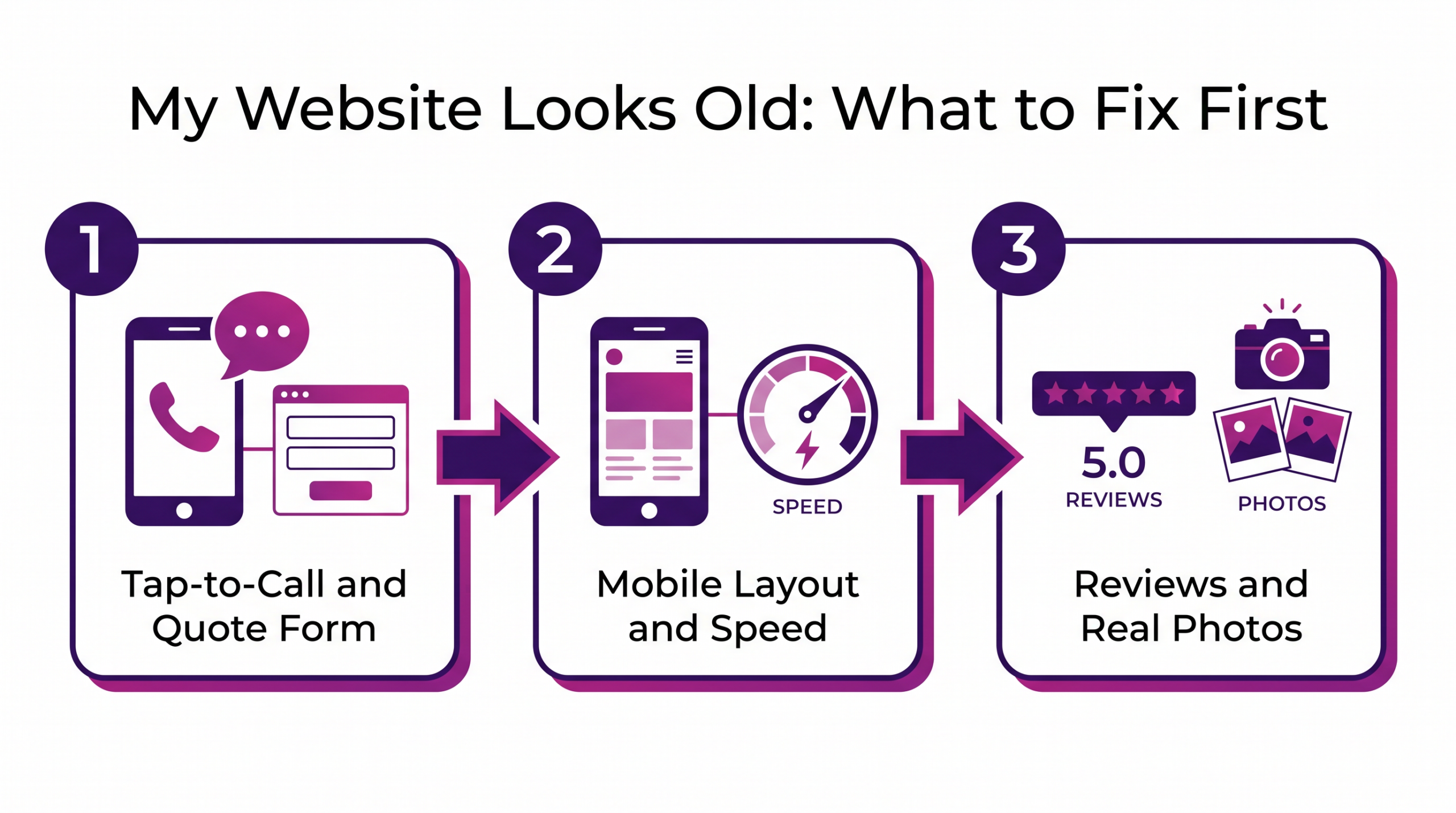
Fix in this order, because each step removes a barrier between a visitor and a call.

Fix 1: Make It Easy to Call or Ask for a Quote
Put a tap-to-call number where a phone user can see it without scrolling. Add a short form that asks for name, phone, and what you need, and give each page one clear next step.
This comes first because it costs the least and sits closest to the lead. Try to call from each main page on your own phone.
Fix 2: Mobile Layout and Speed
Google indexes and ranks the mobile version of a site, and its mobile-first indexing guidance recommends responsive design. A site that is hard to use on a phone loses leads and visibility at once.
For speed, web.dev’s Web Vitals sets targets at the 75th percentile of visits: main content loads in 2.5 seconds or less, the page responds to a tap in 200 milliseconds or less, and layout shift stays at 0.1 or less.
Test with Google’s PageSpeed Insights. Check the field data from real Chrome users first when it is available, since lab data is a simulated test that can miss real-world problems.
Fix 3: Proof, Photos, and Current Content
Place real reviews near your call button, use your own job photos instead of stock images, and keep hours and services current. Fix broken links and typos.
In the Singapore usability study behind the trustworthiness article, every participant said they would read reviews before deciding which company to hire.
How Do You Turn Visitors Into Leads That Convert?
Pick the one page that matters most, make the next step obvious, remove friction, put proof beside the action, and measure again after 30 days. Here are the steps:

- Pick the page that gets the most visits to your services, often the homepage or your main service page.
- State what you do, where you work, and what to do next on the first screen.
- Shorten the form to what you need to call someone back.
- Put a review or job photo next to the call button.
- Track calls and form requests for 30 days, then compare them to your starting numbers.
Should I Redesign My Business Website or Refresh It?
Redesign when the site cannot be fixed in place. Refresh when the structure works, but the look and content are tired. Use these rules:
- Make targeted fixes if your leads per 100 visits is reasonable, but a few pages leak.
- Refresh if the structure works and the design, copy, and photos are the problem.
- Rebuild if the site cannot be edited, is not mobile-friendly, or the platform blocks changes.
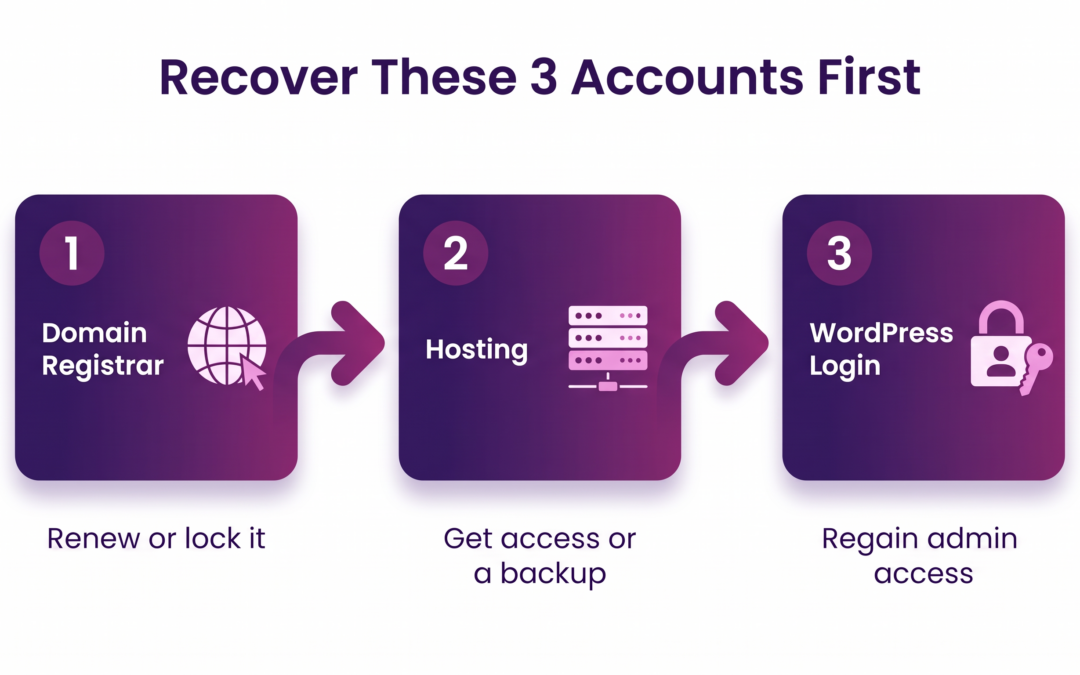
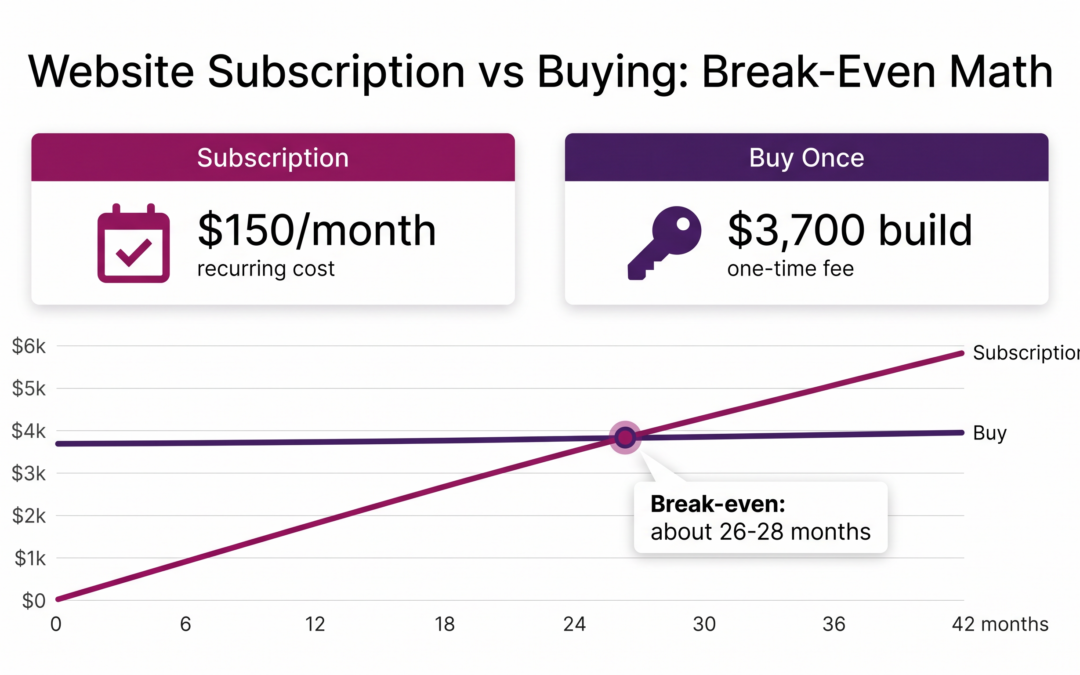
Moving a site from another platform to WordPress is a normal rebuild path. Before any rebuild, settle who owns your domain and logins, which we cover in website subscription vs buying a website.
What to Know Before You Spend Money on a New Site
- Measure first. Without a starting number, you cannot tell whether the change worked.
- Keep what already brings calls. Pages, reviews, photos, and your web address are worth carrying over instead of starting from zero.
- Confirm ownership before you pay. You should hold your domain and logins, not whoever builds the site.
- Get scope and price in writing. A plain-language plan lets you compare quotes fairly.
- Do not redesign to fix a visibility problem. If people are not finding you, a thin Google Business Profile may be the cause, so start with the complete local SEO guide.
Targeted Fixes, Refresh, or Rebuild: Which Fits Your Site?
| Option | What changes | Fits when | Watch for |
|---|---|---|---|
| Targeted fixes | Call button, form, mobile layout, speed, a few pages | Leads per 100 visits is reasonable, but some pages leak | Changing too many things at once |
| Refresh on the same platform | Design, copy, photos, navigation | The structure and platform work, but the look is tired | Losing pages or reviews that already bring calls |
| Full rebuild or replacement | New design, often a new platform | The site cannot be edited, is not mobile-friendly, or blocks changes | Domain and login ownership, moving content correctly |
Choose the smallest option that fixes the leak you measured.
Who Can Redesign My Outdated Business Website?
You have four routes: do it yourself on a builder you already use, hire a freelancer, hire an agency, or use a managed provider that handles design, hosting, and updates. For many owners, a few targeted fixes are enough and no one needs to be hired.
Two illustrative examples follow. They are not documented client results.
A plumbing company with 8 employees had its phone number only in the footer on mobile. The fix was a tap-to-call button and separate pages for drain cleaning and water heater repair, not a new site.
A roofing contractor with 15 employees had a dated site that already earned steady calls. The owner measured first, kept the structure, and refreshed photos and copy instead of rebuilding.
Outrank Strategy builds WordPress sites for local service businesses and offers hosting and updates on a monthly plan. Its Portfolio page shows sites it has built, by trade.
Practical Tips for Fixing a Website That Looks Old
- Write your numbers down first. If you catch yourself saying “my website looks old,” record your three numbers before you change anything.
- Test the first screen on a phone. Take a screenshot and ask three customers what they would do next.
- Change one thing at a time. That way, you know what moved the numbers.
- Ask your last five callers. Find out how they found you and what they looked at first.
Set a 30-day reminder to compare leads per 100 visits.
Conclusion: My Website Looks Old, So What Now?
If my website looks old, the real question is whether it stops leads that convert. Measure, fix what blocks calls, and redesign only when a rebuild is the smallest fix that works.
Want a second set of eyes? Book a free strategy session, and Outrank Strategy will look at your site and your numbers with you. Next in this series: what to do when your website company disappears.
Frequently Asked Questions
My Website Looks Old. Is It Really Costing Me Customers?
How Do I Know If My Website Is Getting Visitors but Not Turning Them Into Leads?
Should I Redesign My Business Website or Just Fix the Worst Pages?
How Long Should a Website Last Before It Needs a Redesign?
How Much Does It Cost to Redesign an Outdated Business Website?
Published cost guides give widely different ranges, and none we found prices a redesign on its own. Ask for scope and price in writing, and use our website cost guide to compare quotes.